User Status & Rich Presence Design Guidelines
This guide provides best practices and design guidelines for integrating status and rich presence features within your game. These features are essential for enhancing player engagement and providing real-time information about player activities.
By following this guide, you will learn how to:
- Implement a status matrix to display player statuses in your friends list.
- Apply core style guidelines to ensure consistency and player comprehension.
- Customize the appearance to fit your game while maintaining the essential elements of status indicators.
Core statuses, plus game-specific
Section titled “Core statuses, plus game-specific”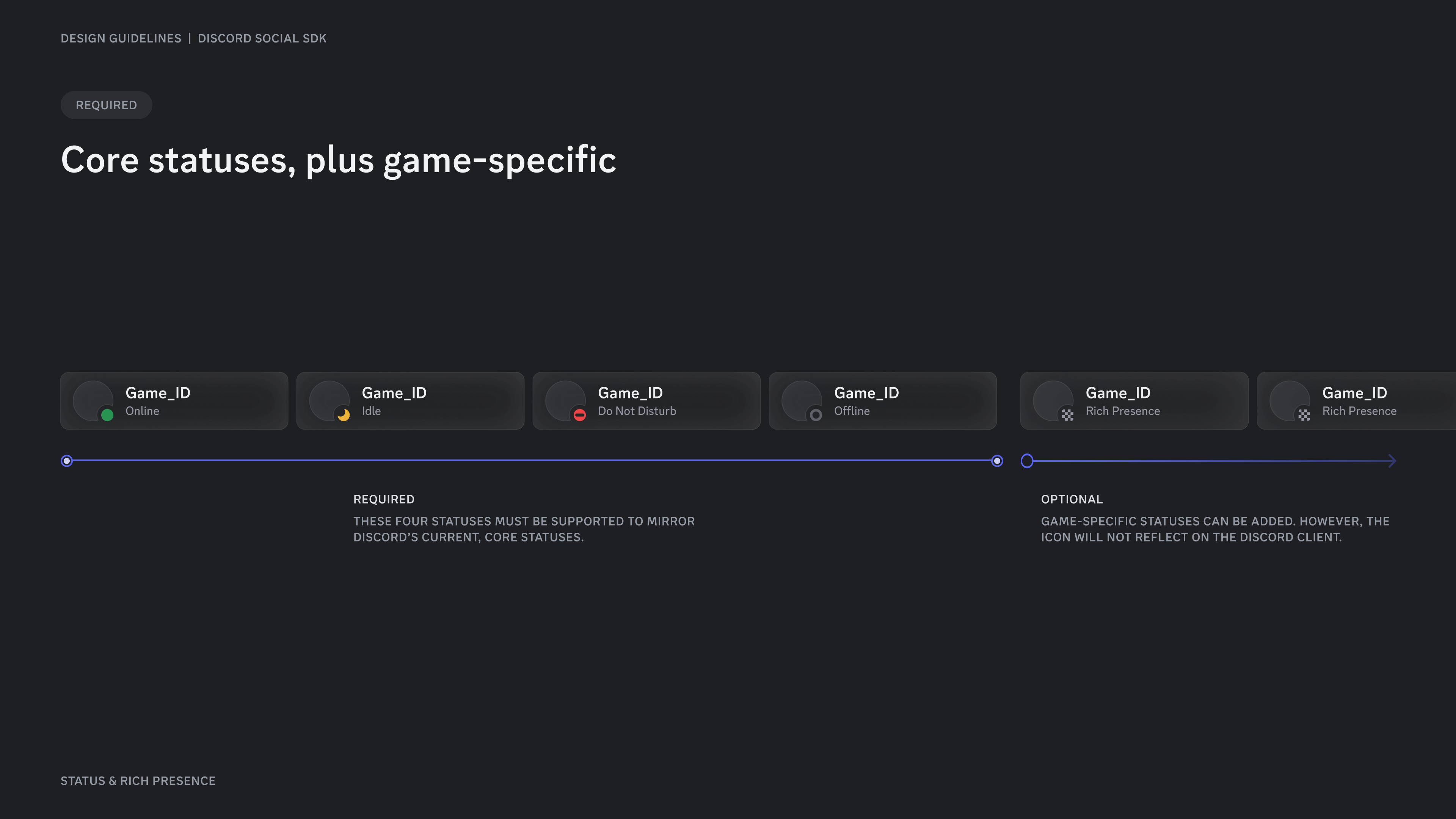
Status matrix
Section titled “Status matrix”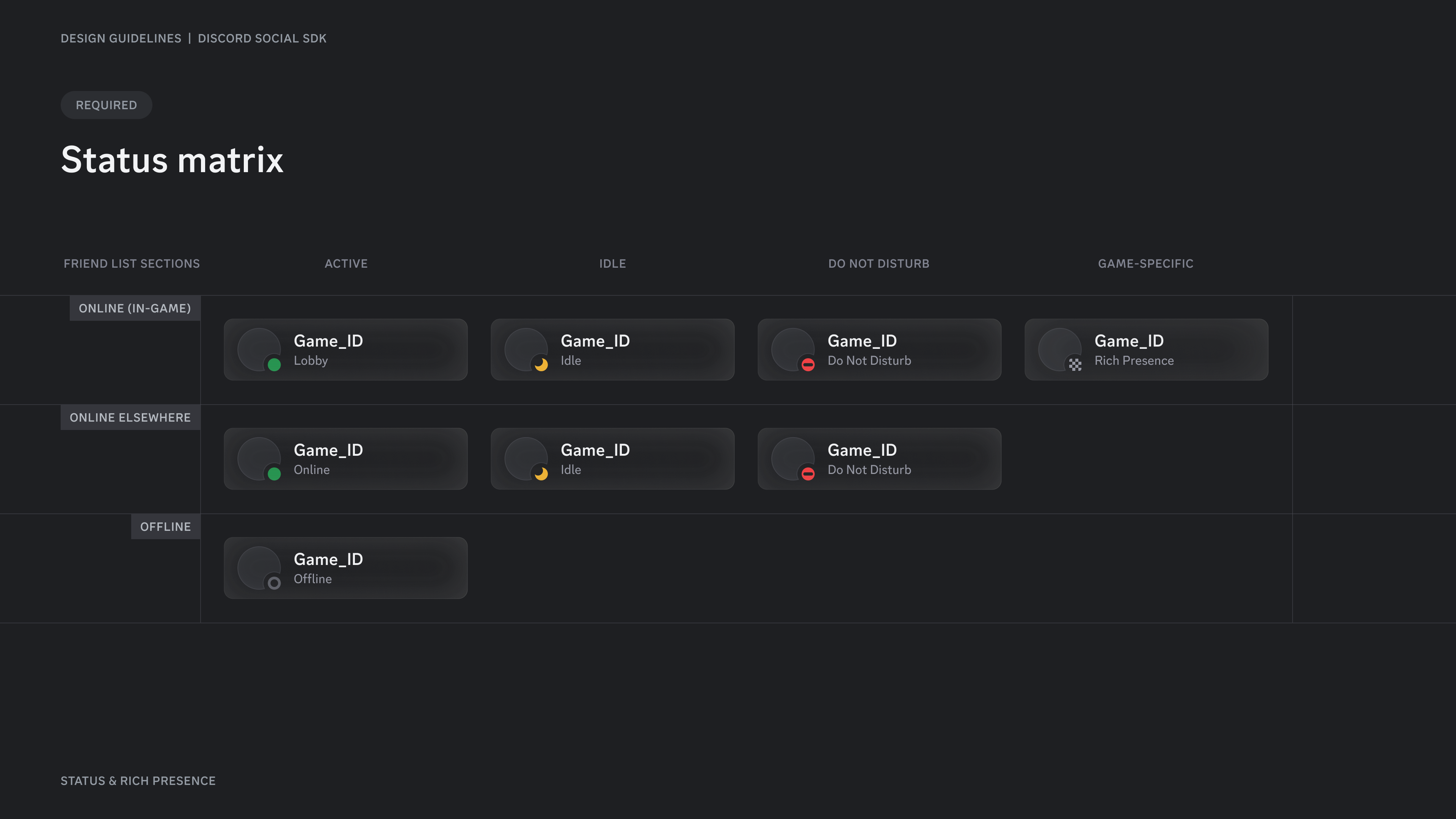
Side-by-side
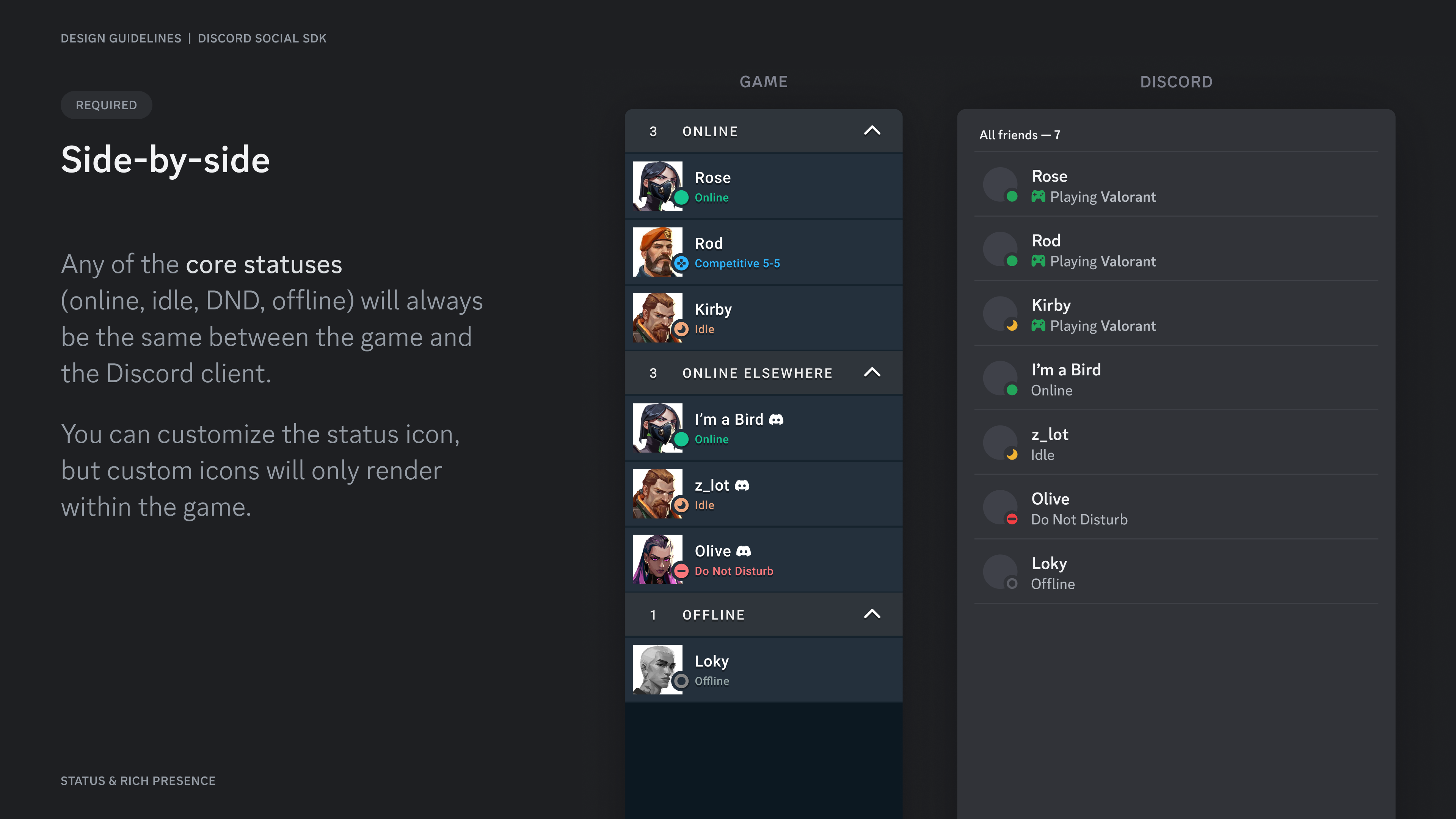
Section titled “Side-by-side”Any of the core statuses (online, idle, DND, offline) will always be the same between the game and the Discord client.
You can customize the status icon, but custom icons will only render within the game.
Core style guidelines
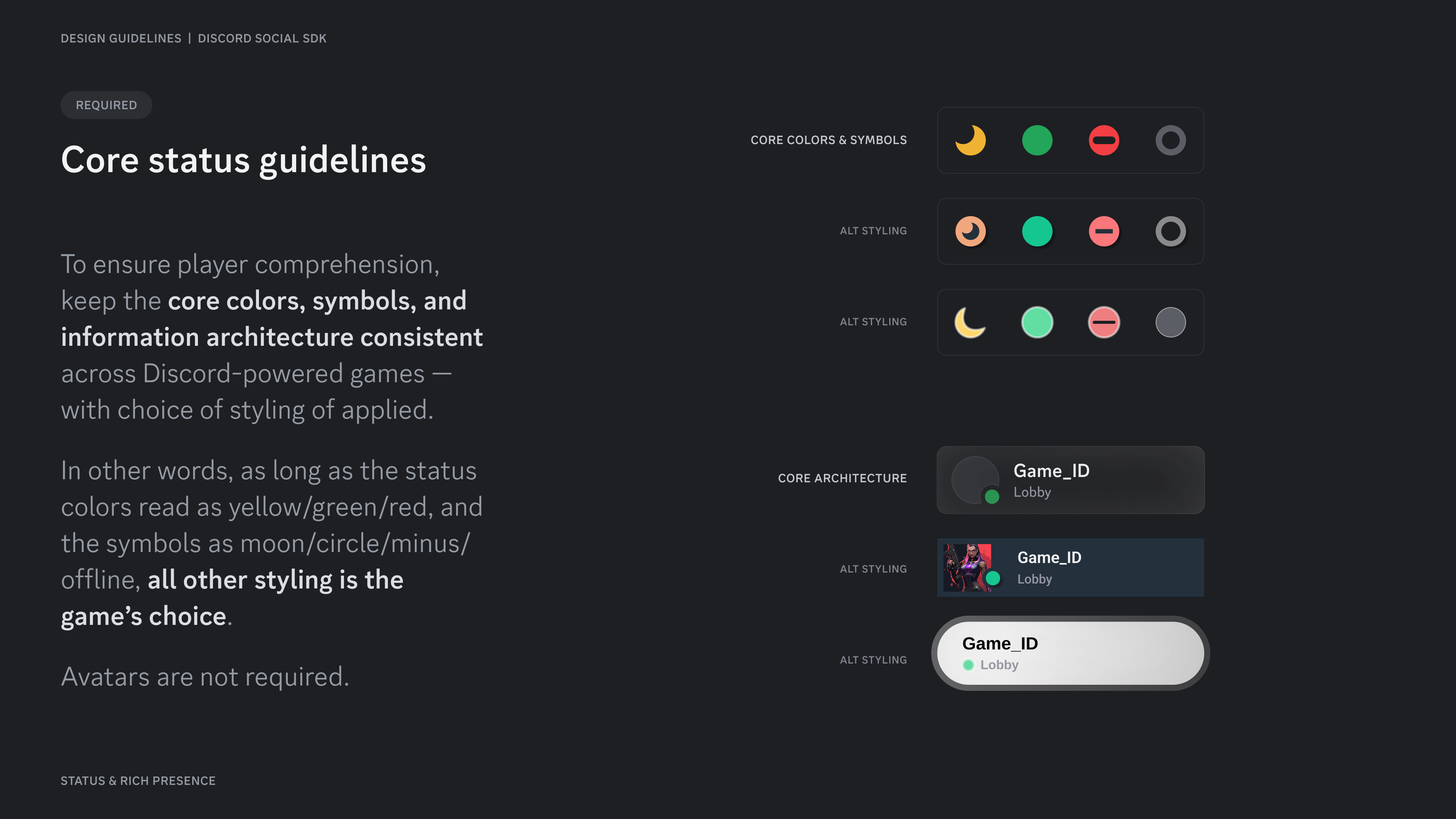
Section titled “Core style guidelines”To ensure player comprehension, keep the core colors, symbols, and information architecture consistent across Discord-powered games — with choice of styling of applied.
In other words, as long as the status colors read as yellow/green/red, and the symbols as moon/circle/minus/offline, all other styling is the game's choice.
Avatars are not required.
Rich Presence
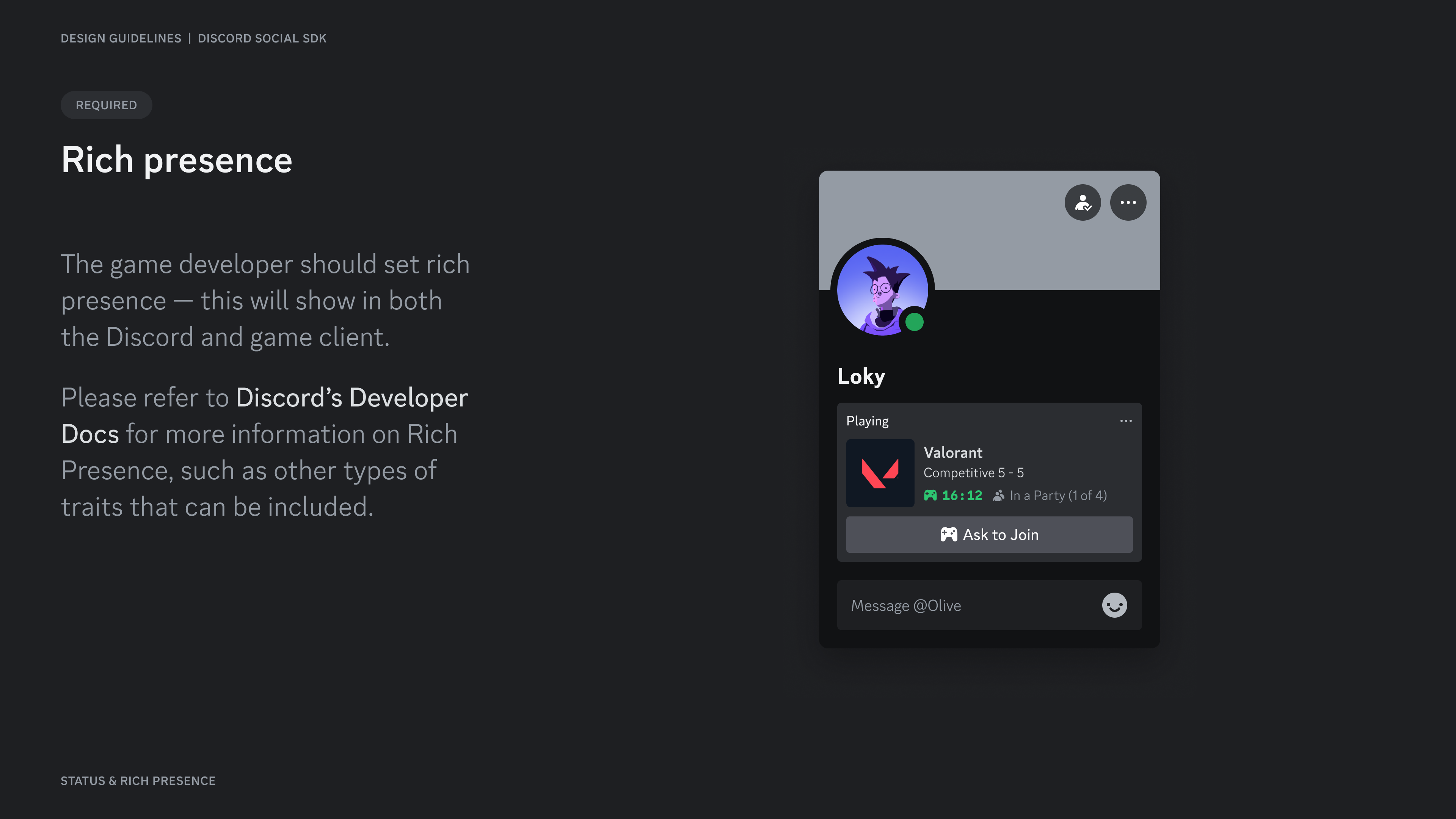
Section titled “Rich Presence”The game developer should set rich presence — this will show in both the Discord and game client.
Please refer to Setting Rich Presence for more information on Rich Presence, such as other types of traits that can be included.
Resources
Section titled “Resources”Change Log
Section titled “Change Log”| Date | Changes |
|---|---|
| March 17, 2025 | Initial Release |