Unified Friends List Design Guidelines
Design guidelines for creating unified friends lists that combine Discord relationships.
This guide provides best practices and design guidelines for integrating a unified friends list within your game. The unified friends list is a crucial feature that allows players to see and interact with their friends across different platforms and games, enhancing their overall social gaming experience.
By following this guide, you will learn how to:
- Implement sectioning to organize friends by availability and game status.
- Display the Discord badge to indicate universal communication capabilities.
- Prioritize and display different identities based on the player's relationship with the game and Discord.
- Ensure consistency and familiarity in naming conventions to reduce confusion and enhance user experience.
These design guidelines are intended to help you create a seamless and intuitive friends list that leverages Discord's social features to their fullest potential. Let's get started!
Figma File - The Social SDK: Friend List Starter Pack
Section titled “Figma File - The Social SDK: Friend List Starter Pack”We’ve created a Figma resource with a templated design-system of building out your game's friends list. Change various components to match your game’s visual-language, and see it update in realtime. We’ve also tossed in a few common use-cases, as well as an example of one of our partnered games, SUPERVIVE.
We'd love your feedback! Join Discord Developers Server and create a post in
the #social-sdk-dev-help channel if you would like to see more resources like this, or if you have suggestions
for improvement.
Sectioning
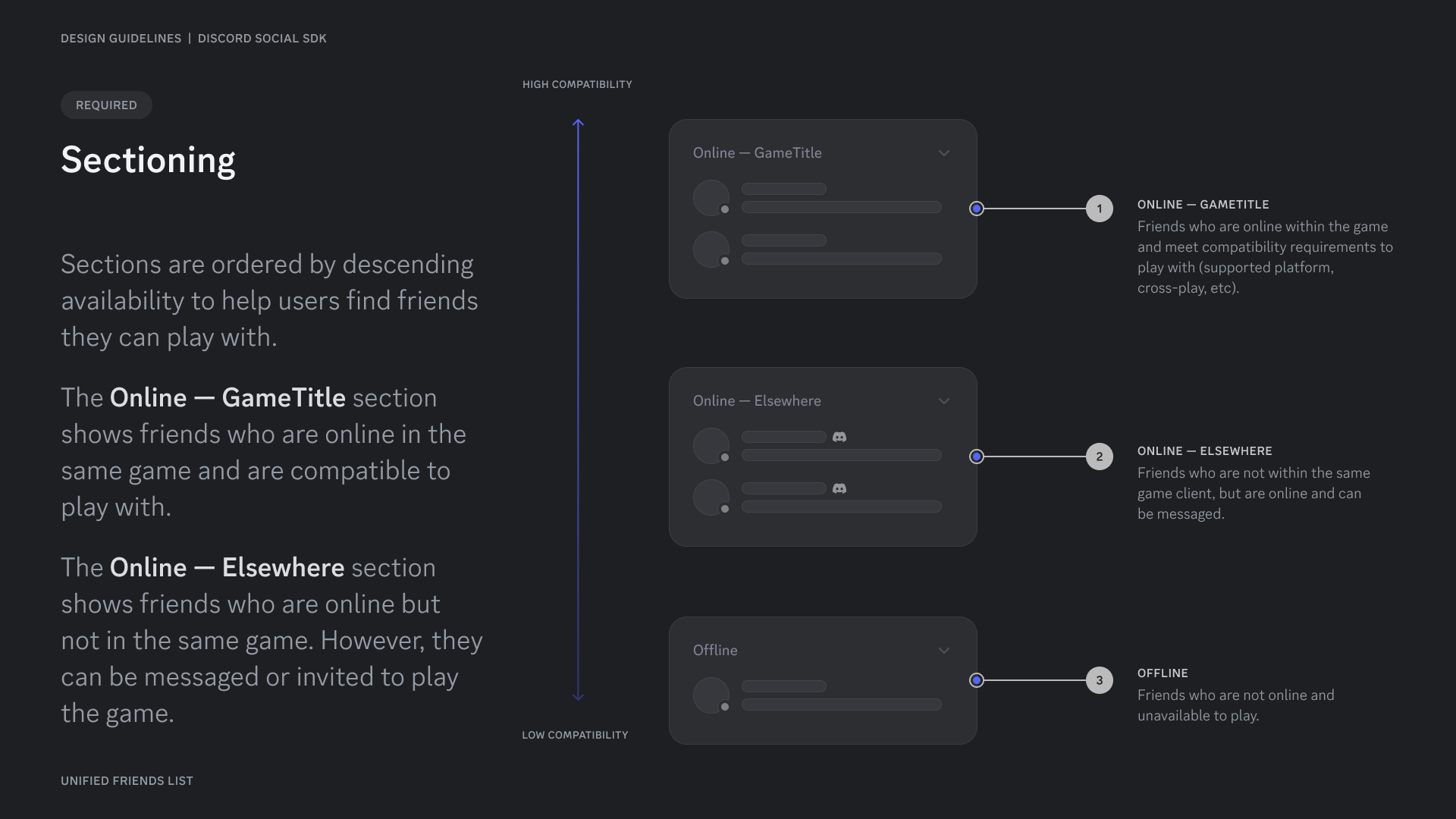
Section titled “Sectioning”Sections are ordered by descending availability to help users find friends they can play with.
The Online — GameTitle section shows friends who are online in the same game and are compatible to play with.
The Online — Elsewhere section shows friends who are online but not in the same game. However, they can be messaged or invited to play the game.
Discord = Communication
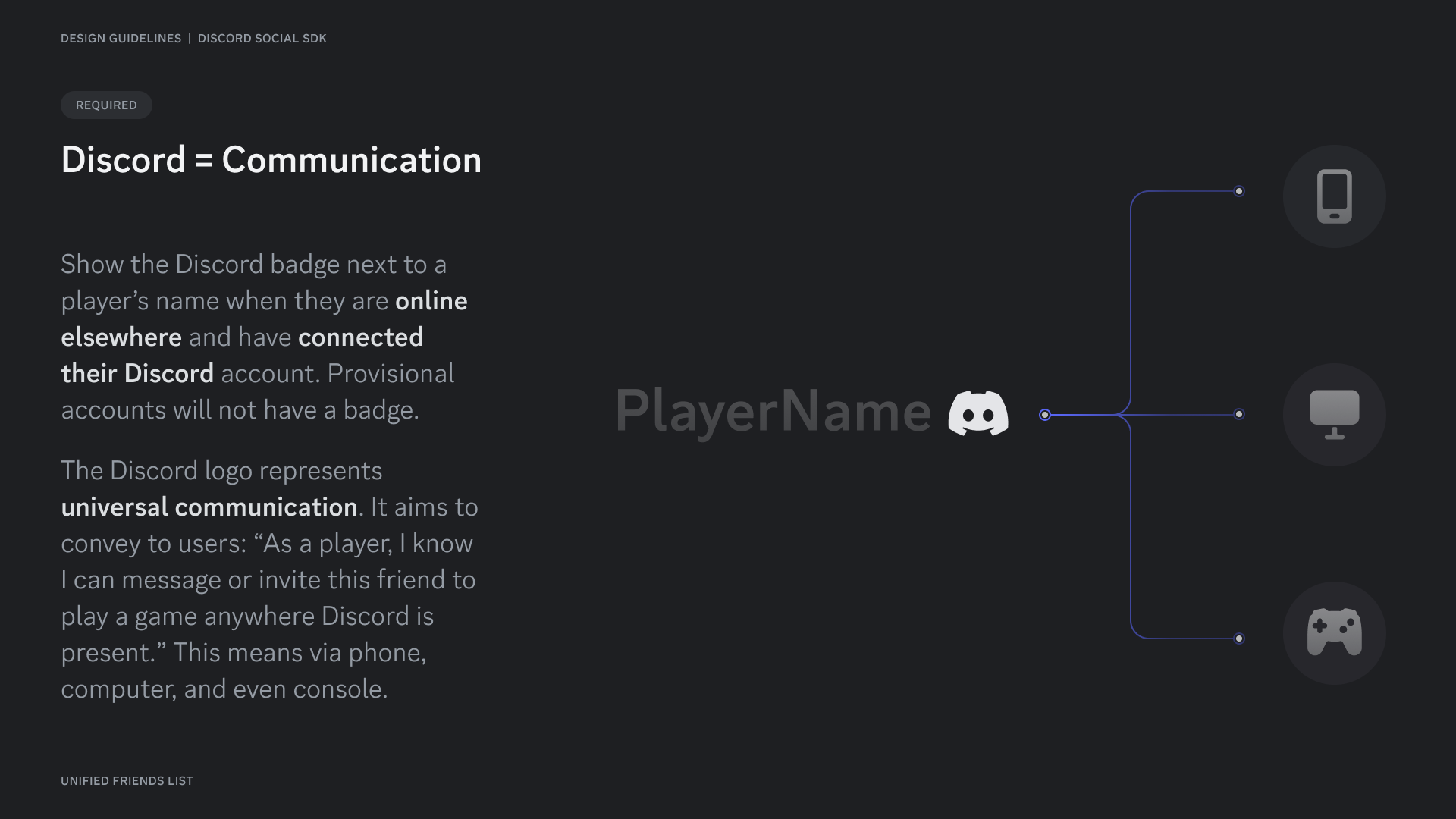
Section titled “Discord = Communication”Show the Discord badge next to a player's name when they are online elsewhere and have connected their Discord account. Provisional accounts will not have a badge.
The Discord logo represents universal communication. It aims to convey to users: “As a player, I know I can message or invite this friend to play a game anywhere Discord is present.” This means via phone, computer, and even console.
Identities
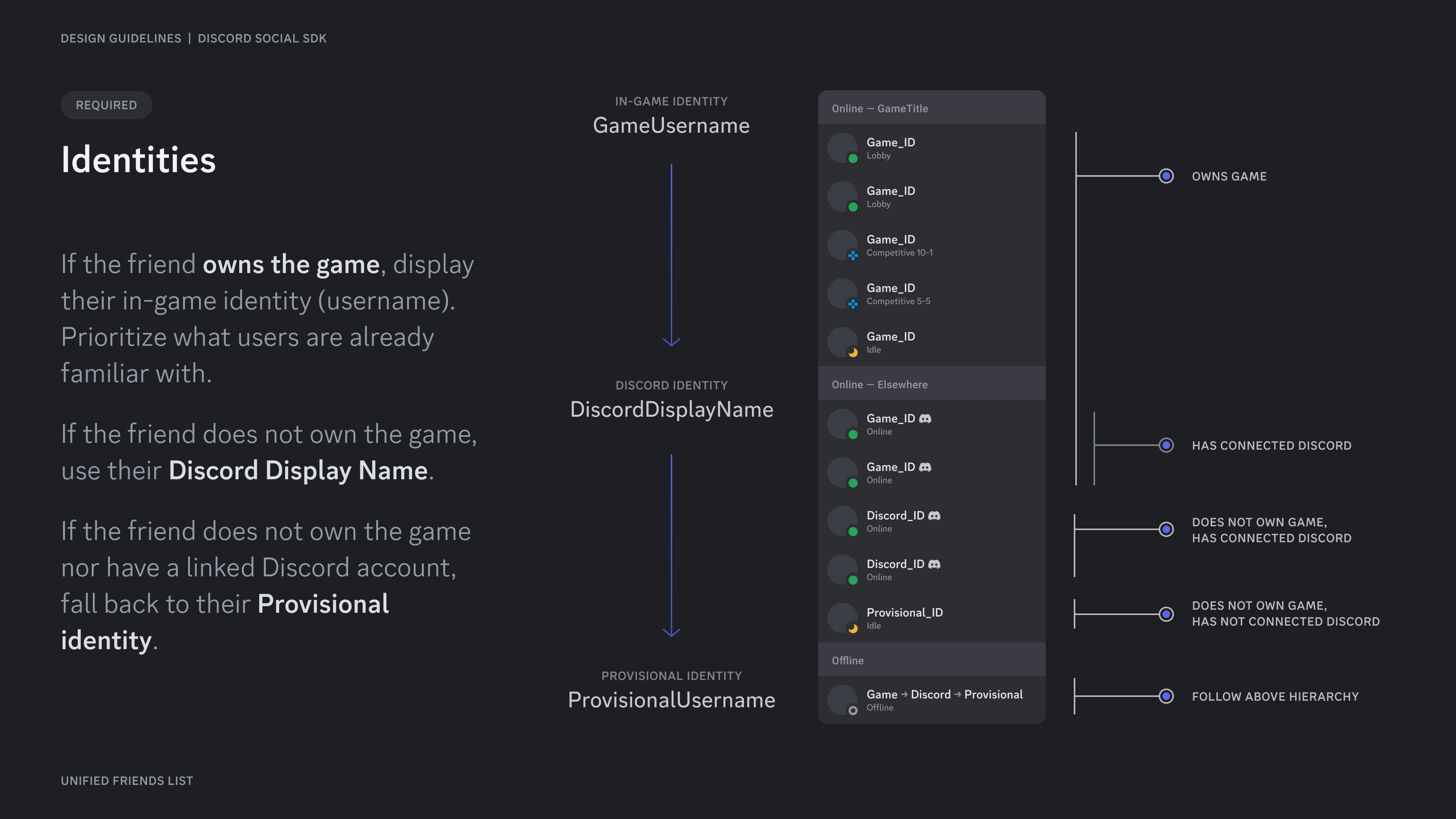
Section titled “Identities”If the friend owns the game, display their in-game identity (username). Prioritize what users are already familiar with.
If the friend does not own the game, use their Discord Display Name.
If the friend does not own the game nor have a linked Discord account, fall back to their Provisional identity.
Examples of friends lists
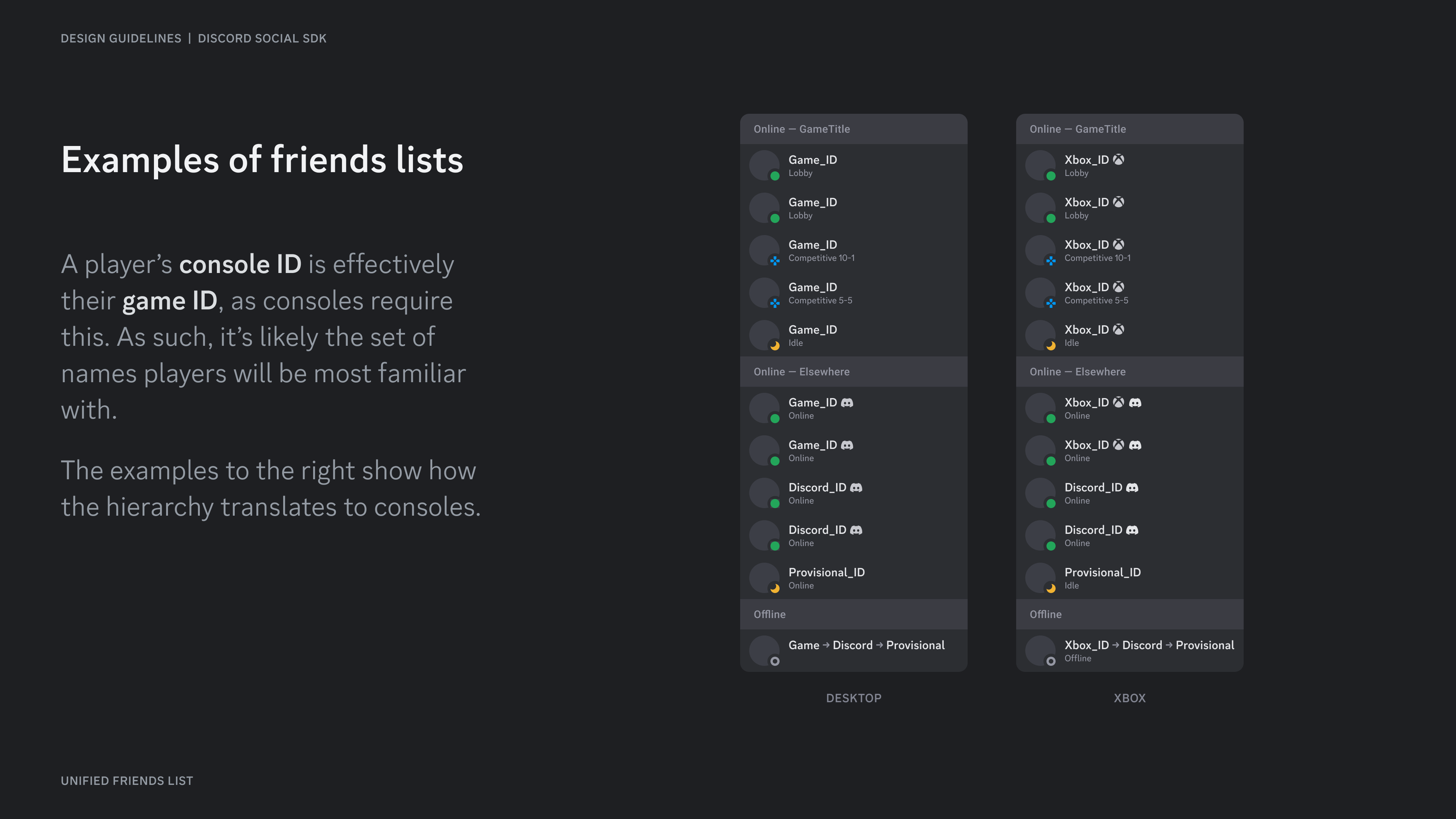
Section titled “Examples of friends lists”A player's console ID is effectively their game ID, as consoles require this. As such, it's likely the set of names players will be most familiar with.
The examples to the right show how the hierarchy translates to consoles.
How did we land here?
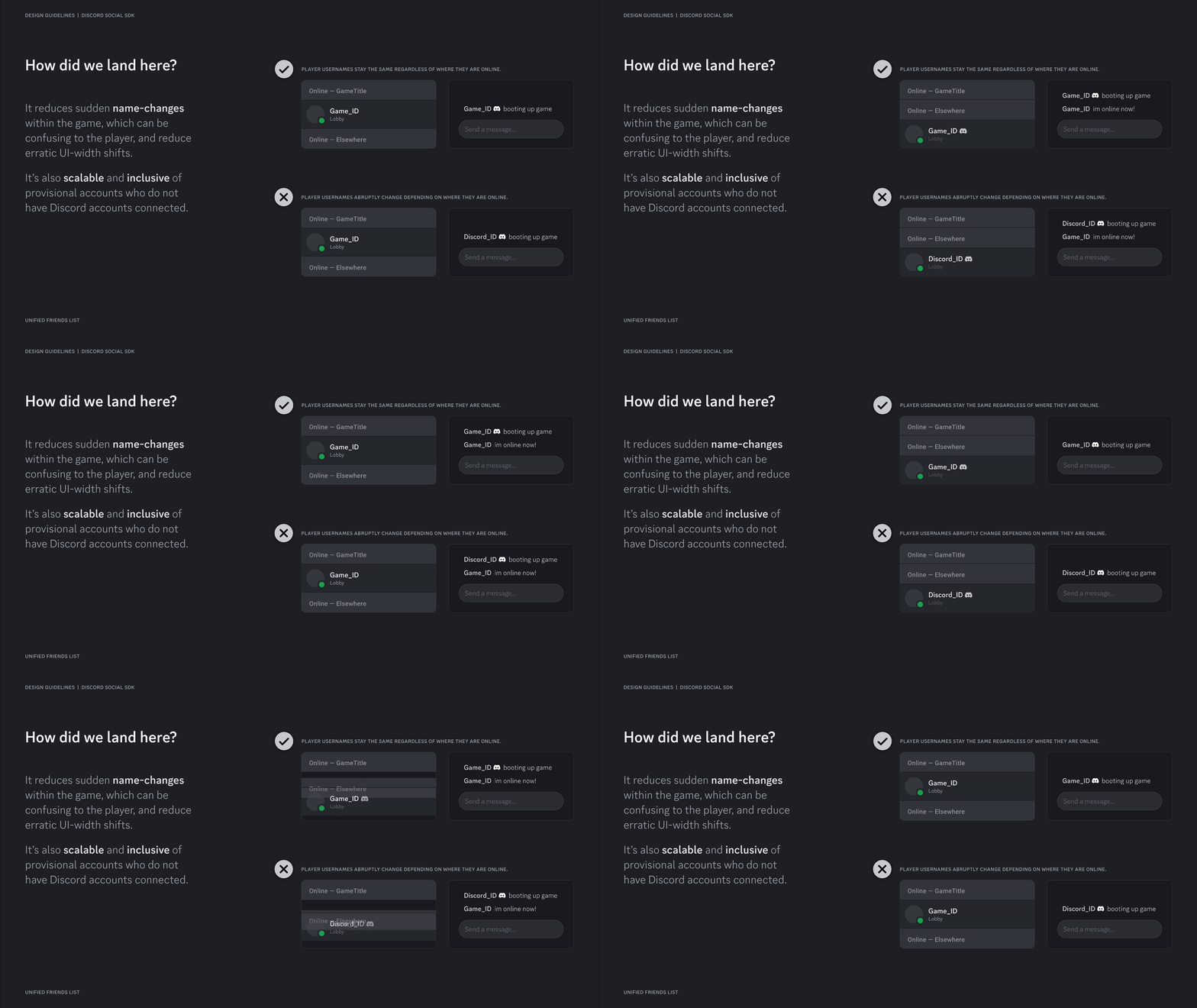
Section titled “How did we land here?”It reduces sudden name changes within the game, which can be confusing to the player, and reduce erratic UI-width shifts.
It's also scalable and inclusive of provisional accounts who do not have Discord accounts connected.
Discord Display Names
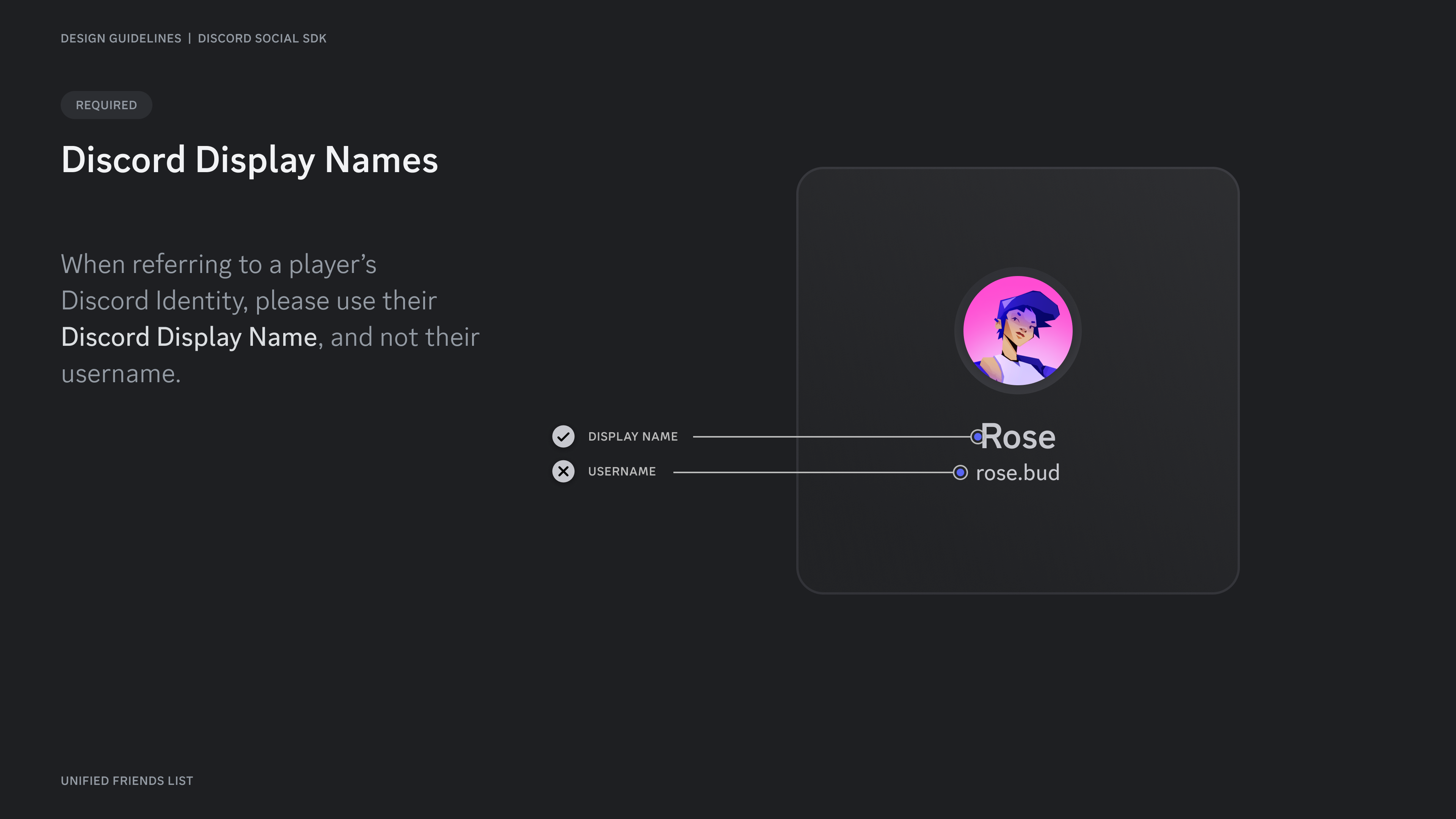
Section titled “Discord Display Names”When referring to a player's Discord Identity, please use their Discord Display Name, and not their username.
Scaling to Multiple Platforms
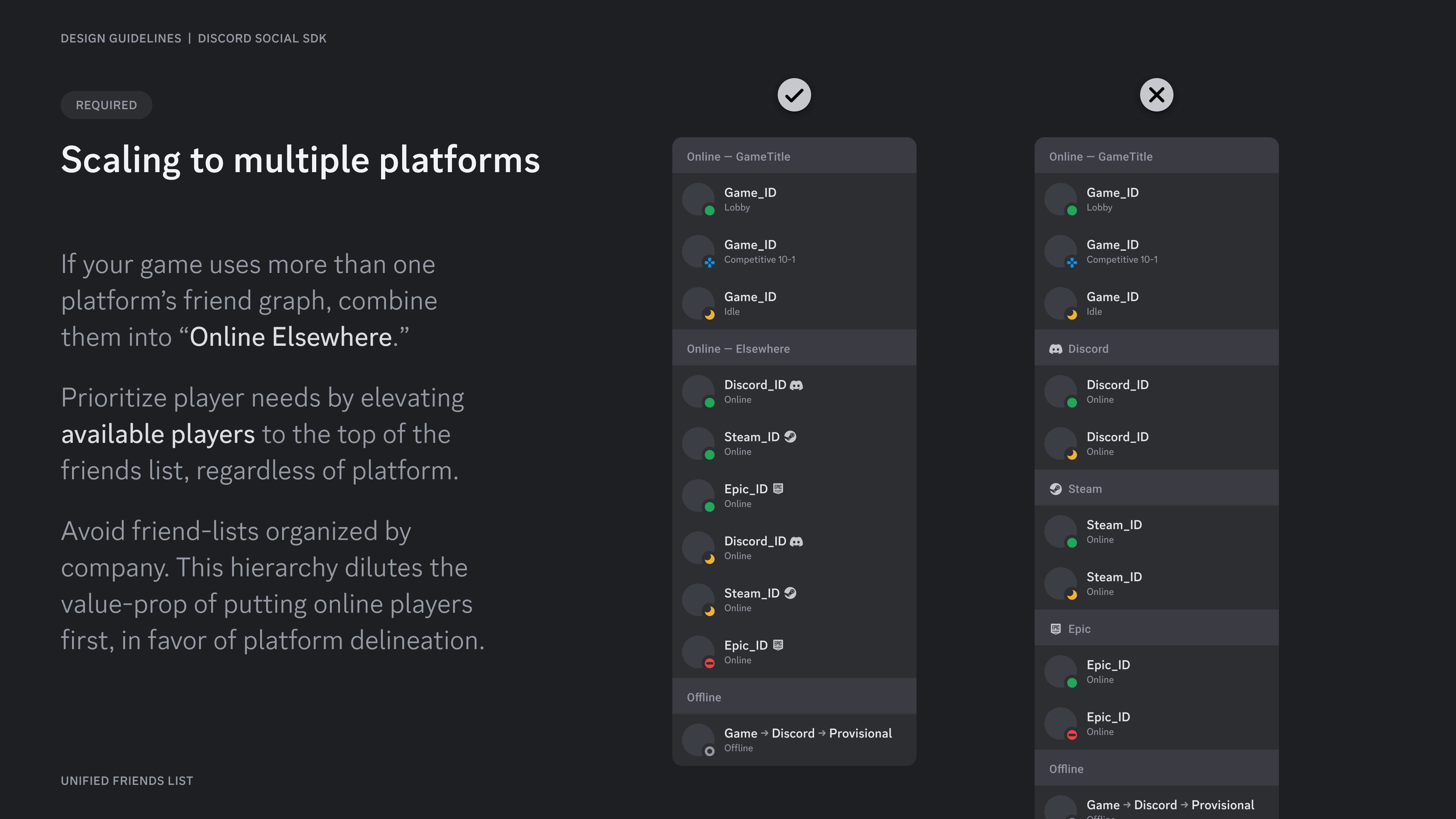
Section titled “Scaling to Multiple Platforms”If your game uses more than one platform's friend graph, combine them into "Online Elsewhere."
Prioritize player needs by elevating available players to the top of the friends list, regardless of platform.
Avoid friend-lists organized by company. This hierarchy dilutes the value-prop of putting online players first, in favor of platform delineation.
Resources
Section titled “Resources”- Development Guide: Creating a Unified Friends List
- Figma File - The Social SDK: Friend List Starter Pack ↗
Change Log
Section titled “Change Log”| Date | Changes |
|---|---|
| June 25, 2025 | Added Figma UFL starter pack |
| March 17, 2025 | initial release |