Provisional Accounts Design Guidelines
For those who don't connect a Discord account
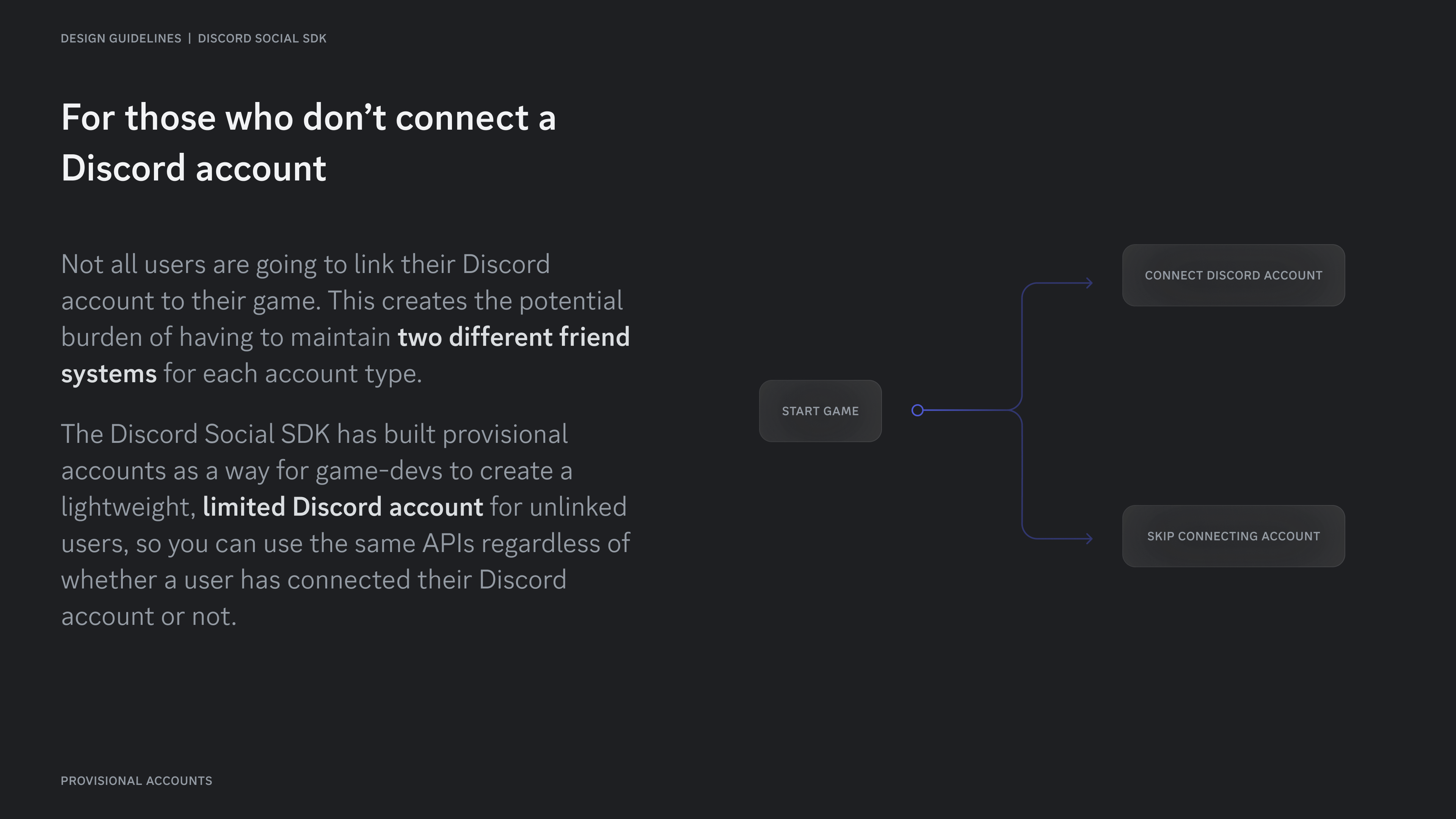
Section titled “For those who don't connect a Discord account”Not all users are going to link their Discord account to their game. This creates the potential burden of having to maintain two different friend systems for each account type.
The Discord Social SDK has built provisional accounts as a way for game-devs to create a lightweight, limited Discord account for unlinked users, so you can use the same APIs regardless of whether a user has connected their Discord account or not.
What is a provisional account?
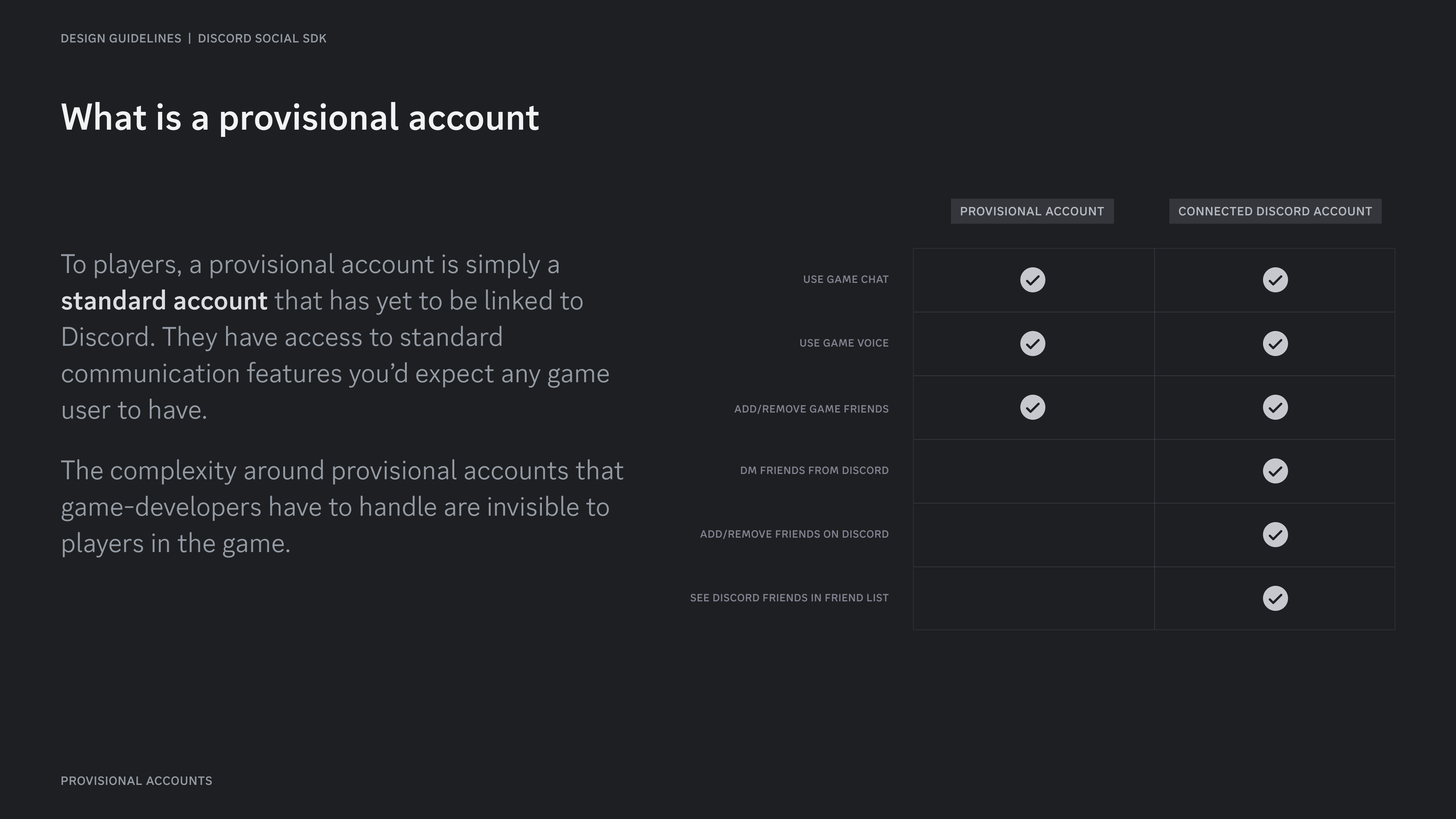
Section titled “What is a provisional account?”To players, a provisional account is simply a standard account that has yet to be linked to Discord. They have access to standard communication features you'd expect any game user to have.
The complexity around provisional accounts that game-developers have to handle are invisible to players in the game.
How provisional accounts look within the game
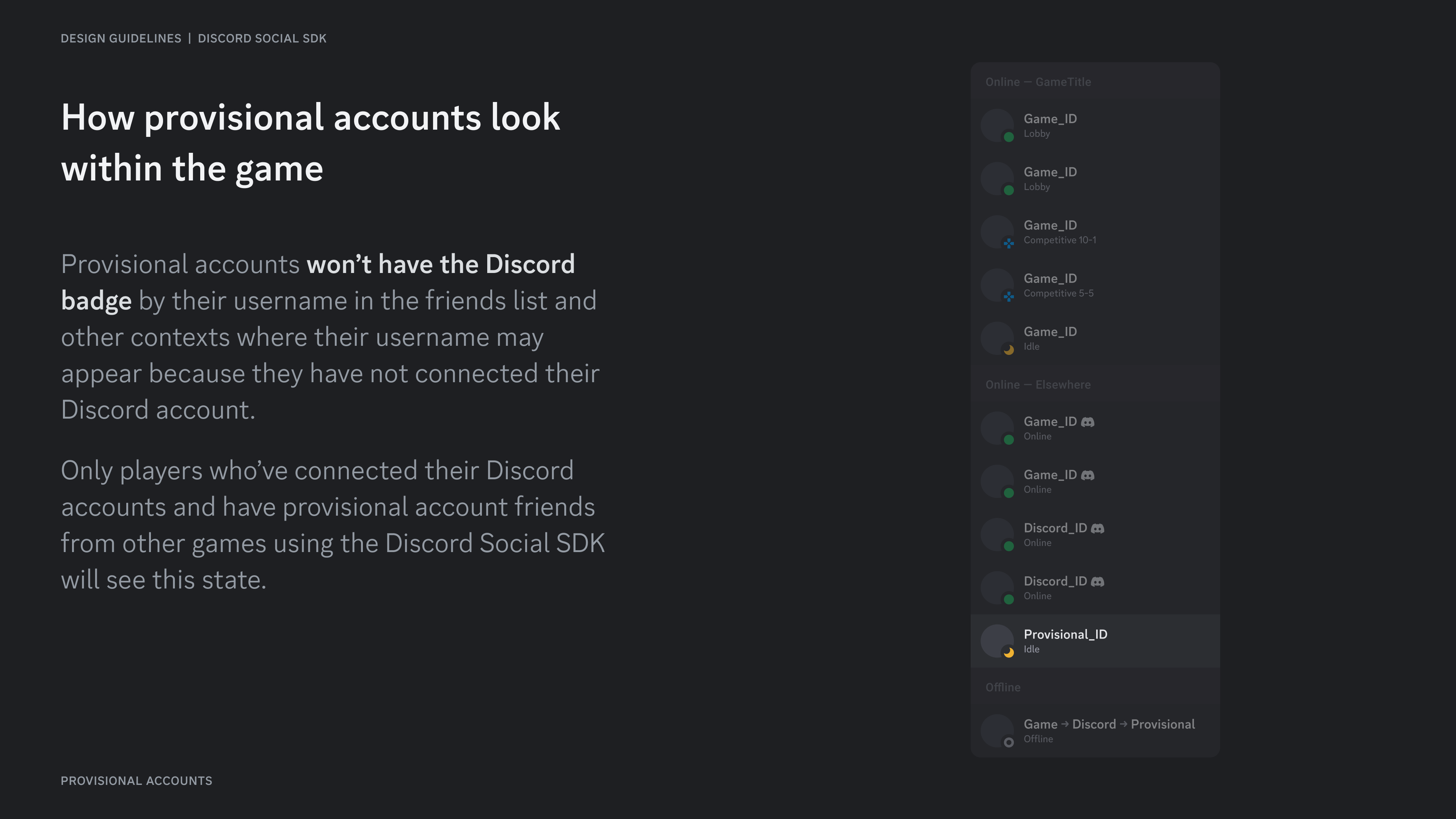
Section titled “How provisional accounts look within the game”Provisional accounts won't have the Discord badge by their username in the friends list and other contexts where their username may appear because they have not connected their Discord account.
Only players who've connected their Discord accounts and have provisional account friends from other games using the Discord Social SDK will see this state.
How provisional accounts look within Discord
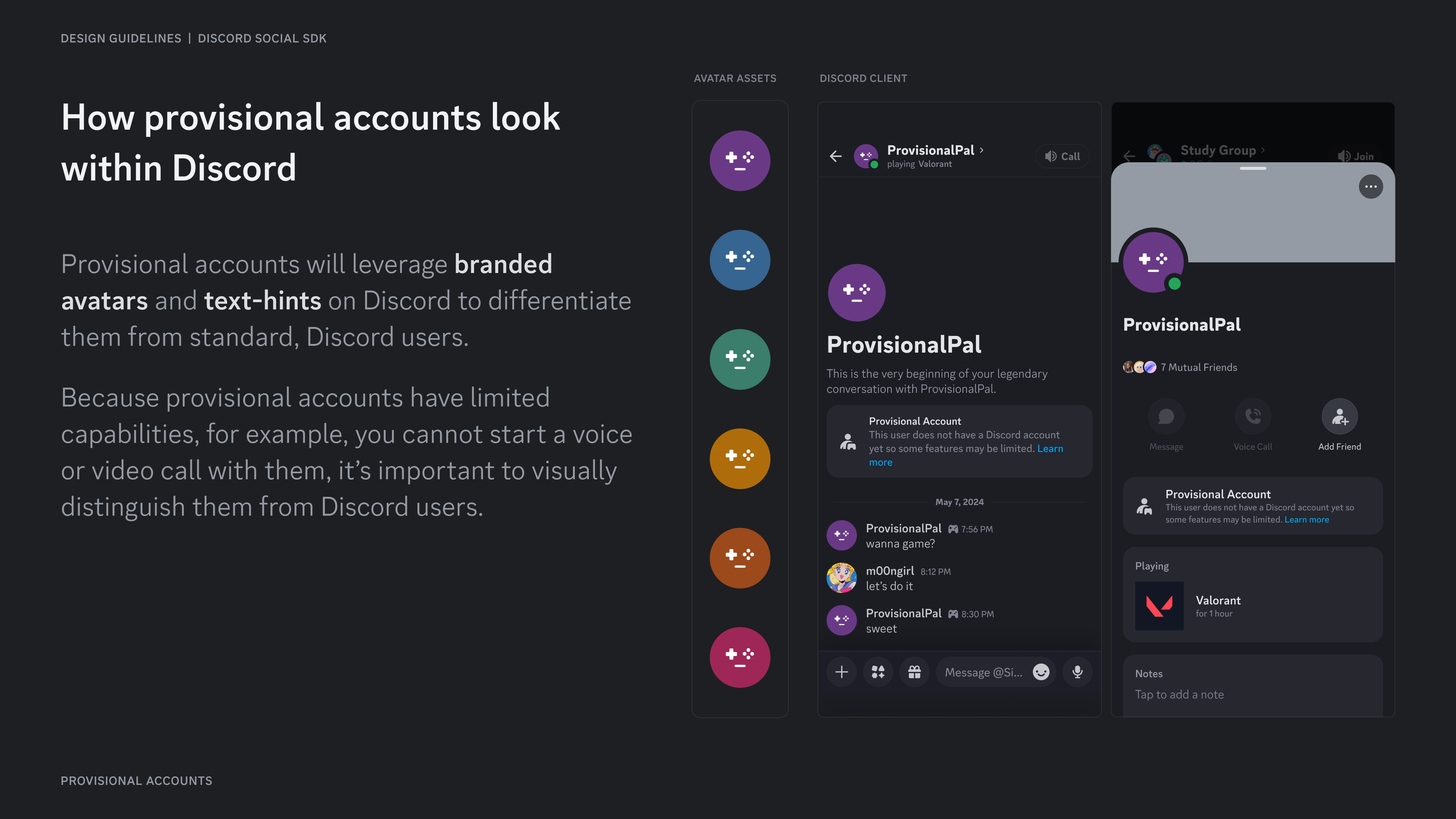
Section titled “How provisional accounts look within Discord”Provisional accounts will leverage branded avatars and text-hints on Discord to differentiate them from standard, Discord users.
Because provisional accounts have limited capabilities, for example, you cannot start a voice or video call with them, it's important to visually distinguish them from Discord users.
Resources
Section titled “Resources”Change Log
Section titled “Change Log”| Date | Changes |
|---|---|
| March 17, 2025 | initial release |