Designing for Account Linking
Design guidelines for implementing Discord sign-in flows and authentication.
Overall flow
Section titled “Overall flow”Sign-in or log-in flows all begin with the interaction of a Discord-styled button.
The Discord Social SDK will support the user-journeys for those who already have a Discord account and those who do not. We will similarly support those who have Discord installed as well as those who do not (via browser).
A player can also proceed without connecting their Discord and continue onwards to playing their game.
Connecting your Discord account via Browser (gif)
Section titled “Connecting your Discord account via Browser (gif)”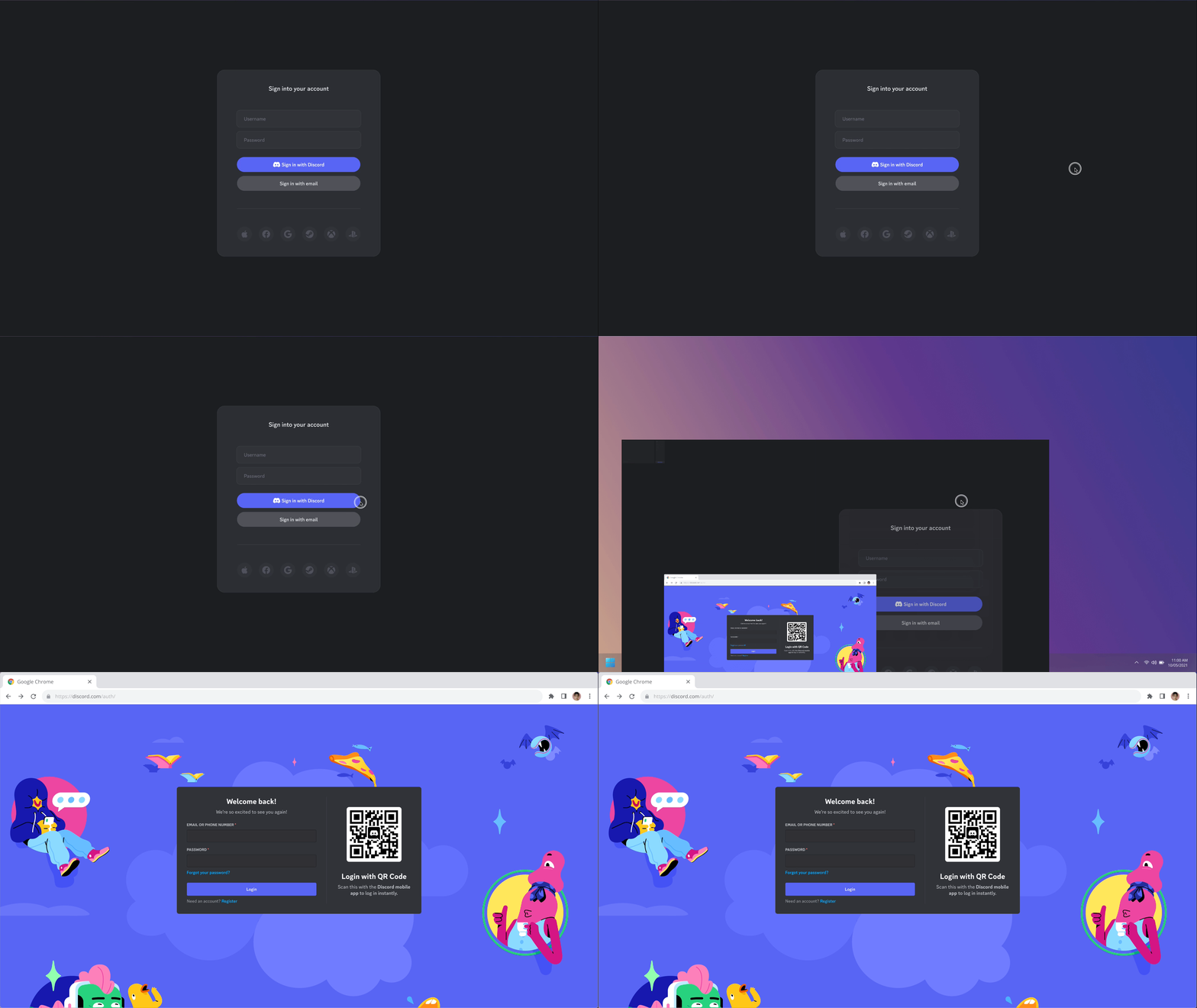
Overlay Authorization
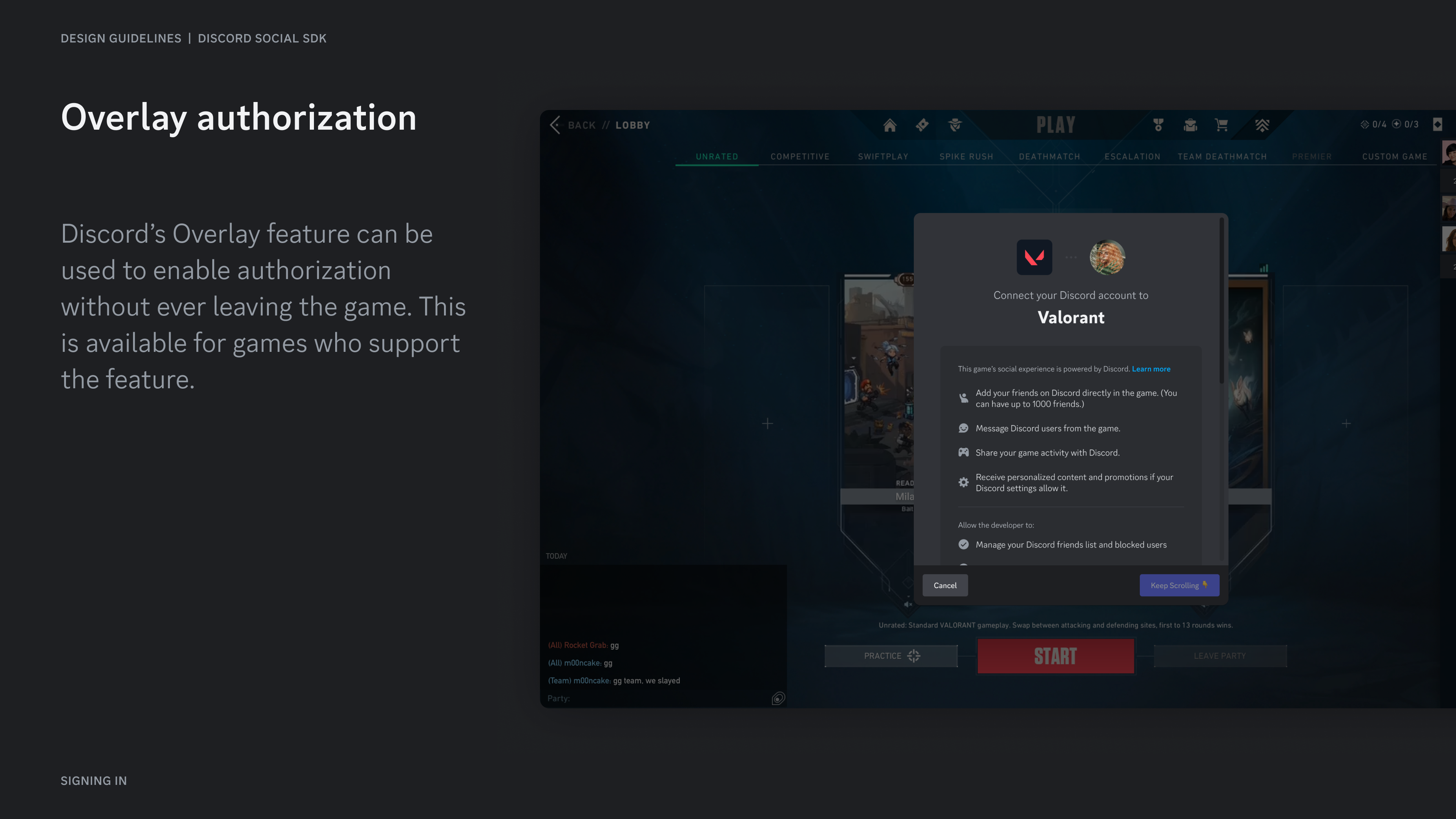
Section titled “Overlay Authorization”Discord's Overlay feature can be used to enable authorization without ever leaving the game. This is available for games who support the feature.
Before the user connects
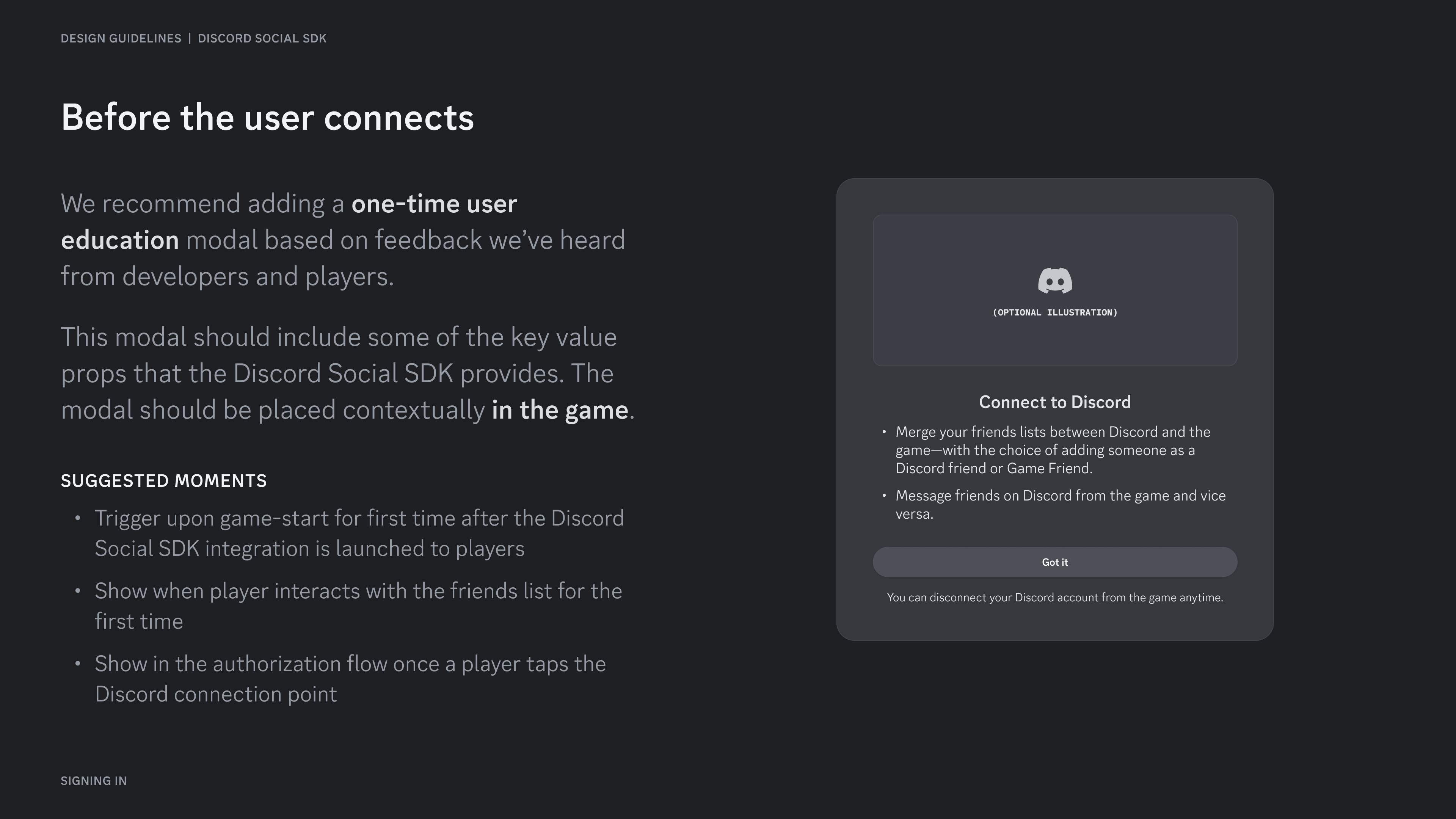
Section titled “Before the user connects”We recommend adding a one-time user education modal based on feedback we've heard from developers and players.
This modal should include some of the key value props that the Discord Social SDK provides. The modal should be placed contextually in the game.
Suggested Moments
Section titled “Suggested Moments”- Trigger upon game-start for first time after the Discord Social SDK integration is launched to players
- Show when player interacts with the friends list for the first time
- Show in the authorization flow once a player taps the Discord connection point
After the user connects
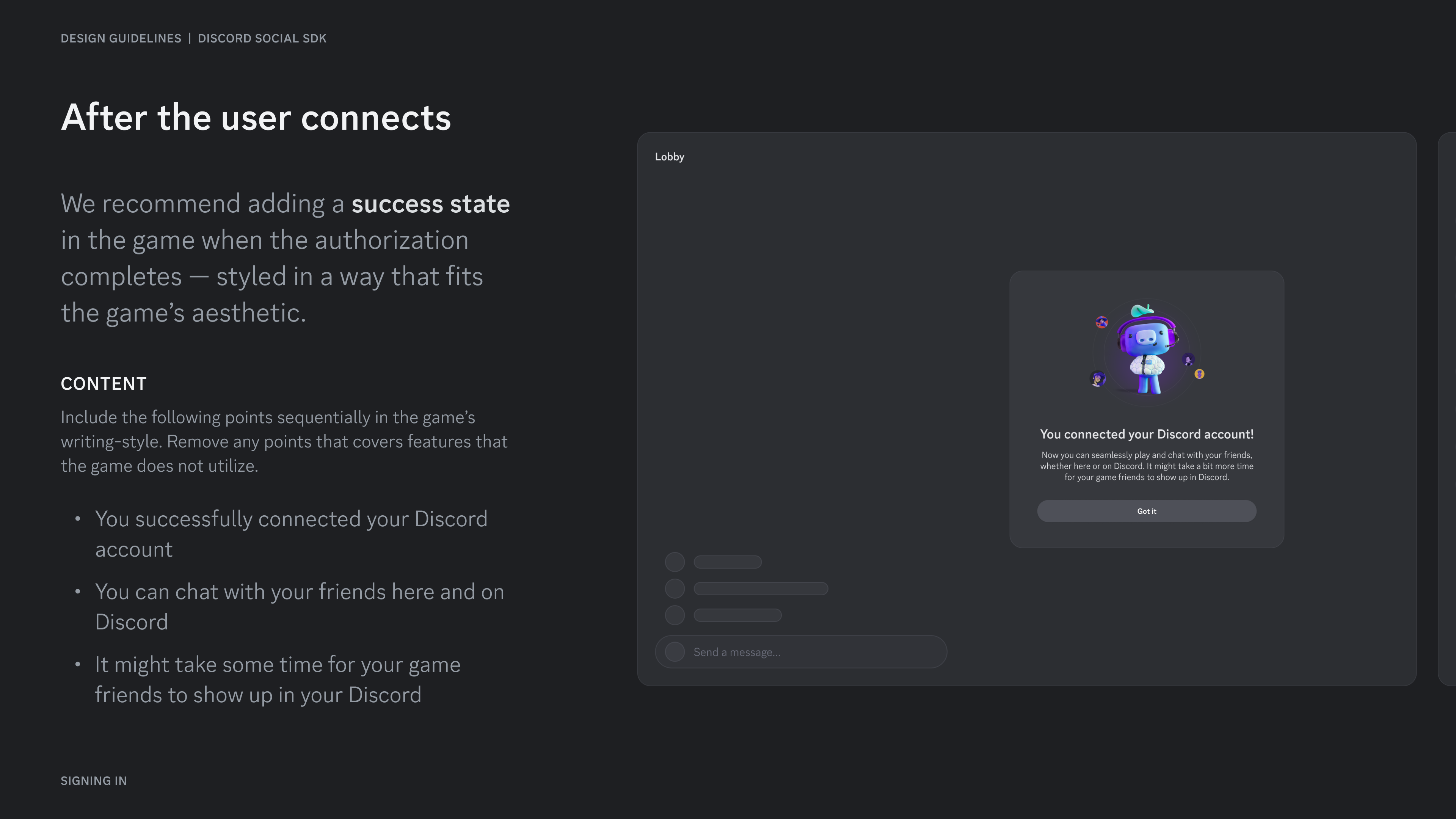
Section titled “After the user connects”We recommend adding a success state in the game when the authorization completes — styled in a way that fits the game's aesthetic.
Content
Section titled “Content”Include the following points sequentially in the game' s writing-style. Remove any points that covers features that the game does not utilize.
- You successfully connected your Discord account
- You can chat with your friends here and on Discord
- It might take some time for your game friends to show up in your Discord
Error State
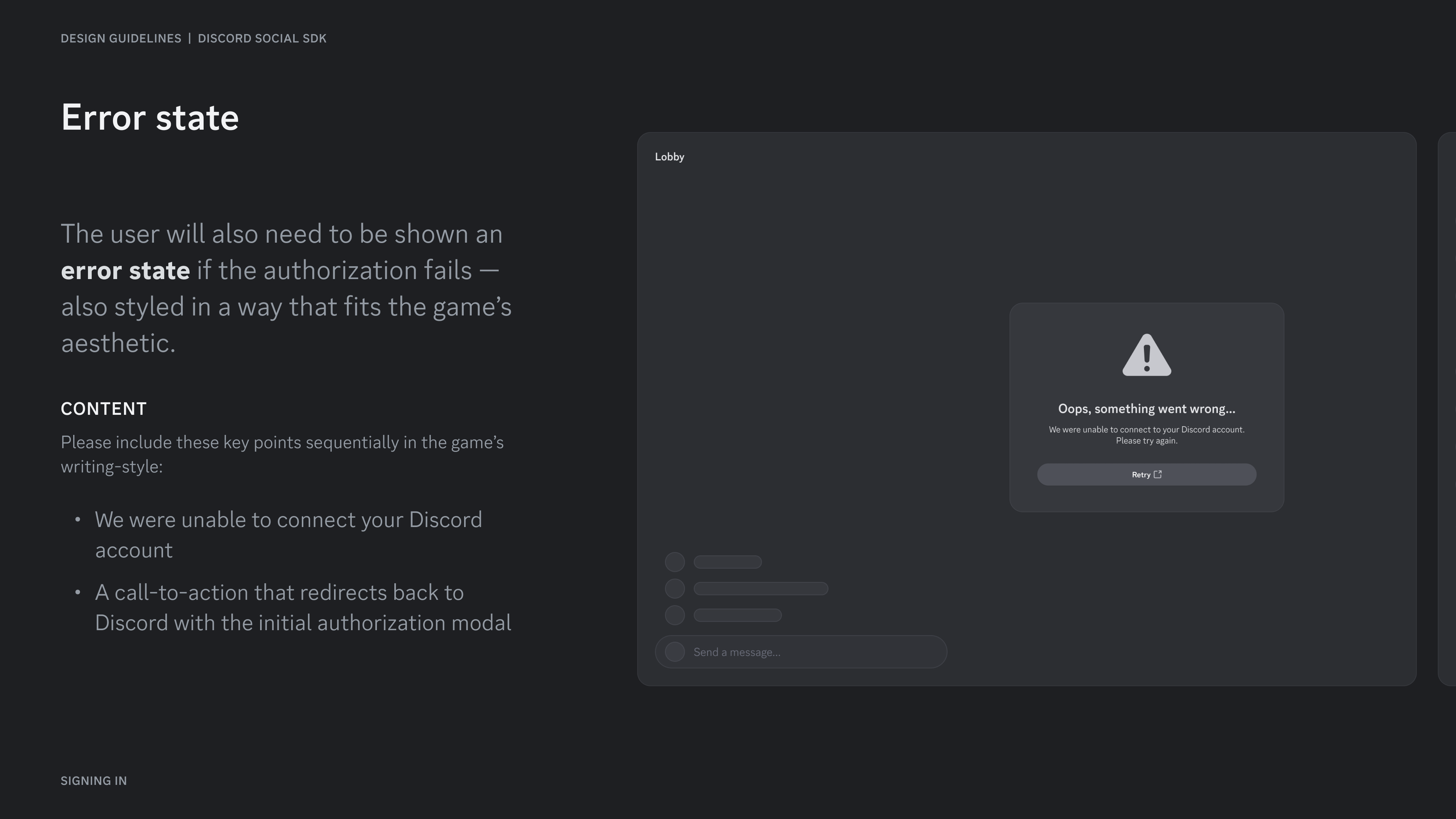
Section titled “Error State”The user will also need to be shown an error state if the authorization fails — also styled in a way that fits the game's aesthetic.
Please include these key points sequentially in the game's writing-style:
- We were unable to connect your Discord account
- A call-to-action that redirects back to Discord with the initial authorization modal
Resources
Section titled “Resources”Change Log
Section titled “Change Log”| Date | Changes |
|---|---|
| March 17, 2025 | initial release |