Console Design Guidelines
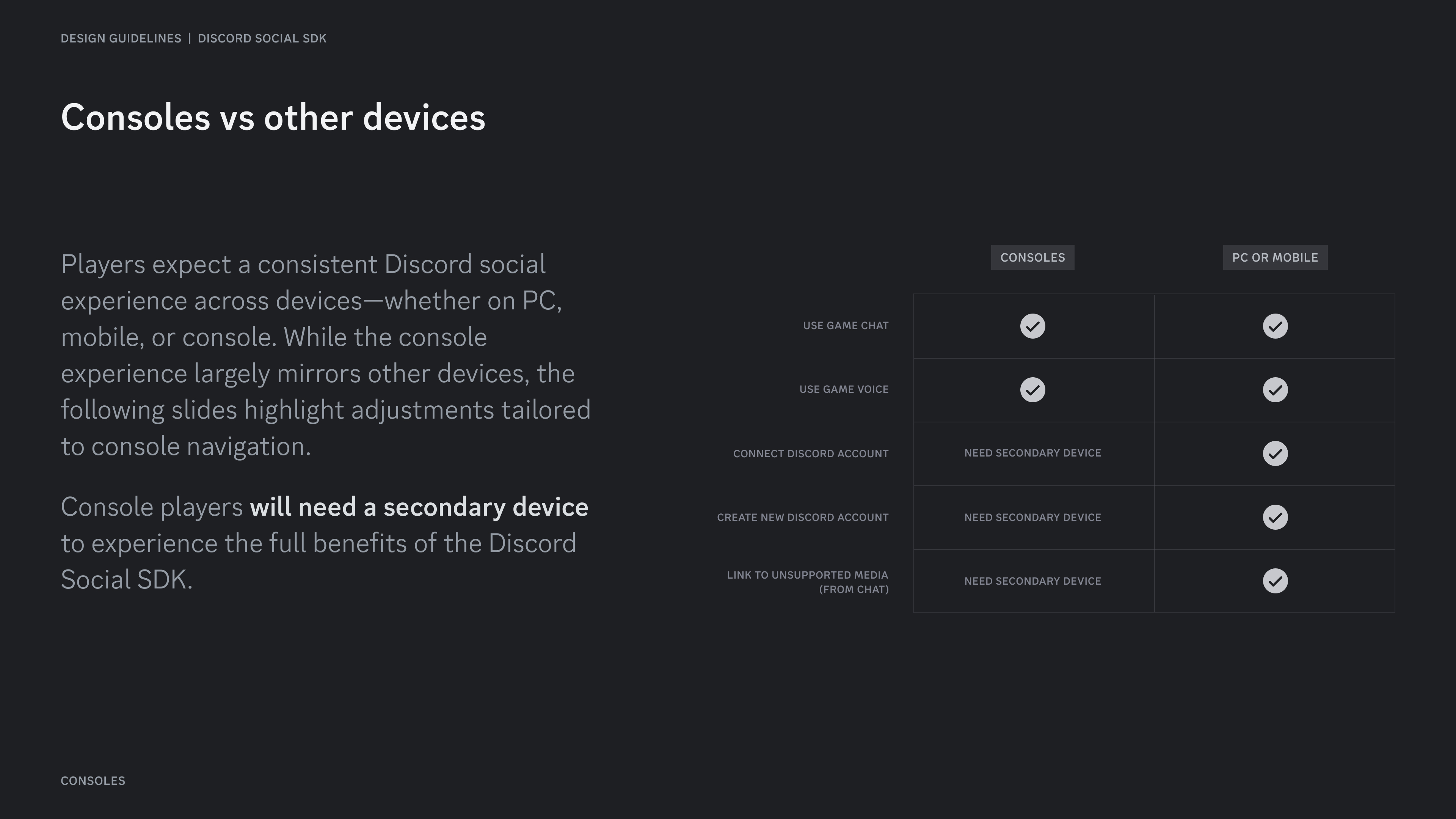
Players expect a consistent Discord social experience across devices—whether on PC, mobile, or console. While the console experience largely mirrors other devices, the following slides highlight adjustments tailored to console navigation.
Console players will need a secondary device to experience the full benefits of the Discord Social SDK.
Connect to Discord on console
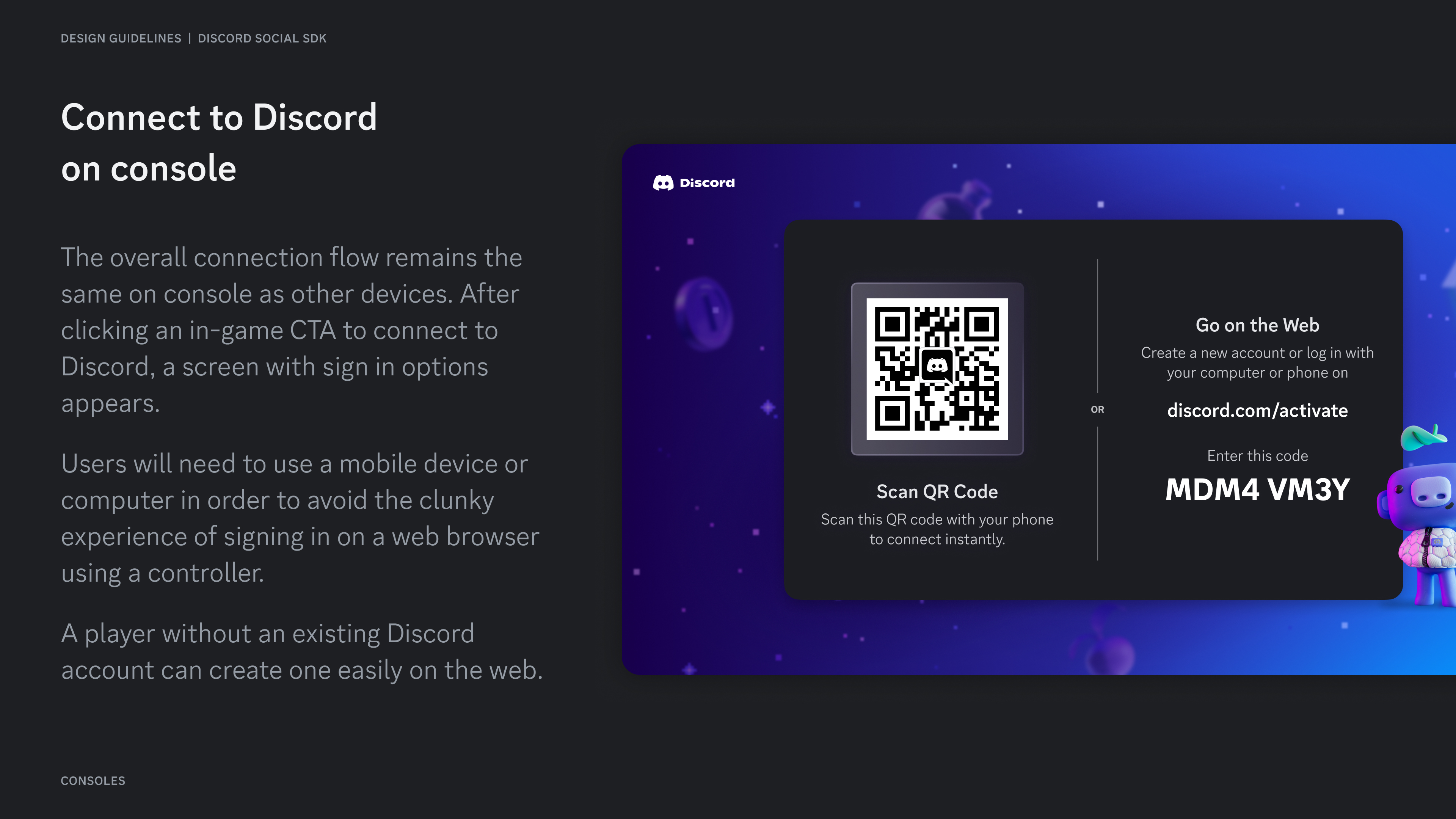
Section titled “Connect to Discord on console”The overall connection flow remains the same on console as other devices. After clicking an in-game CTA to connect to Discord, a screen with sign in options appears.
Users will need to use a mobile device or computer in order to avoid the clunky experience of signing in on a web browser using a controller.
A player without an existing Discord account can create one easily on the web.
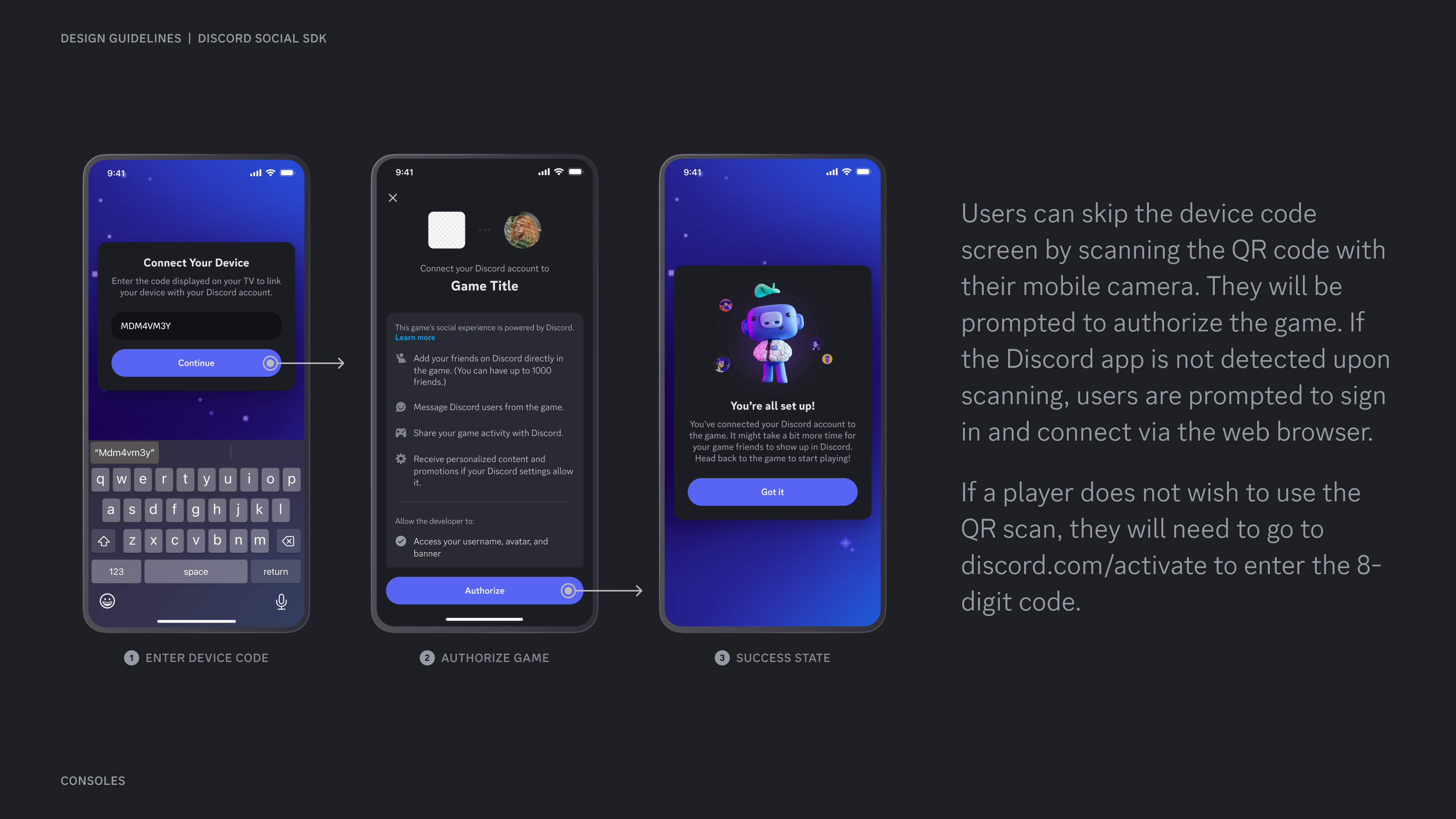
Users can skip the device code screen by scanning the QR code with their mobile camera. They will be prompted to authorize the game. If the Discord app is not detected upon scanning, users are prompted to sign in and connect via the web browser.
If a player does not wish to use the QR scan, they will need to go to discord.com/activate to enter the 8-digit code.
Chatting on console
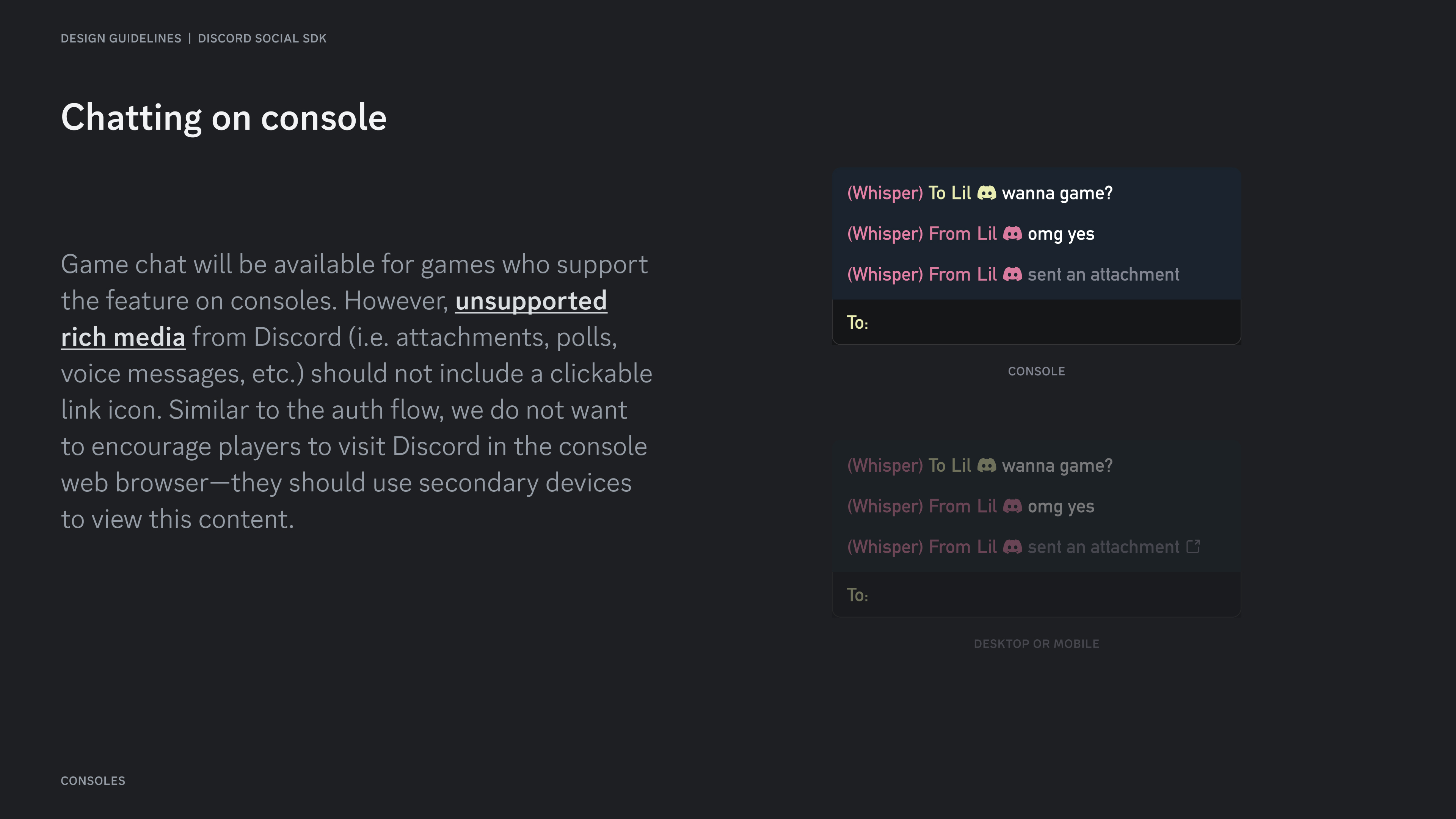
Section titled “Chatting on console”Game chat will be available for games who support the feature on consoles. However, unsupported rich media from Discord (i.e. attachments, polls, voice messages, etc.) should not include a clickable link icon. Similar to the auth flow, we do not want to encourage players to visit Discord in the console web browser—they should use secondary devices to view this content.
Friends list on console
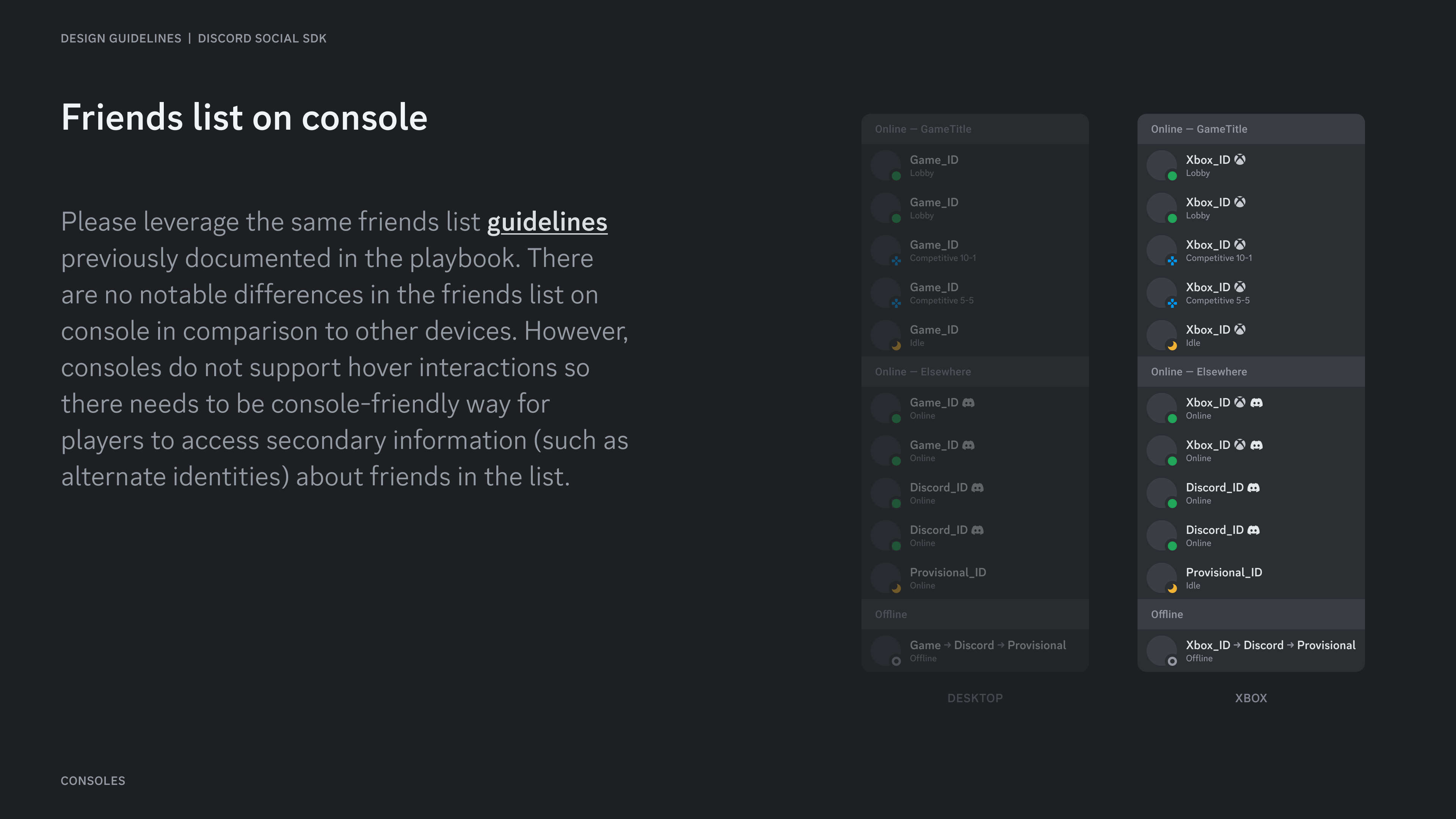
Section titled “Friends list on console”Please leverage the same friends list guidelines previously documented in the playbook. There are no notable differences in the friends list on console in comparison to other devices. However, consoles do not support hover interactions so there needs to be console-friendly way for players to access secondary information (such as alternate identities) about friends in the list.
Resources
Section titled “Resources”Change Log
Section titled “Change Log”| Date | Changes |
|---|---|
| March 17, 2025 | initial release |